
Sunny Side
Weather insights that help you plan your day
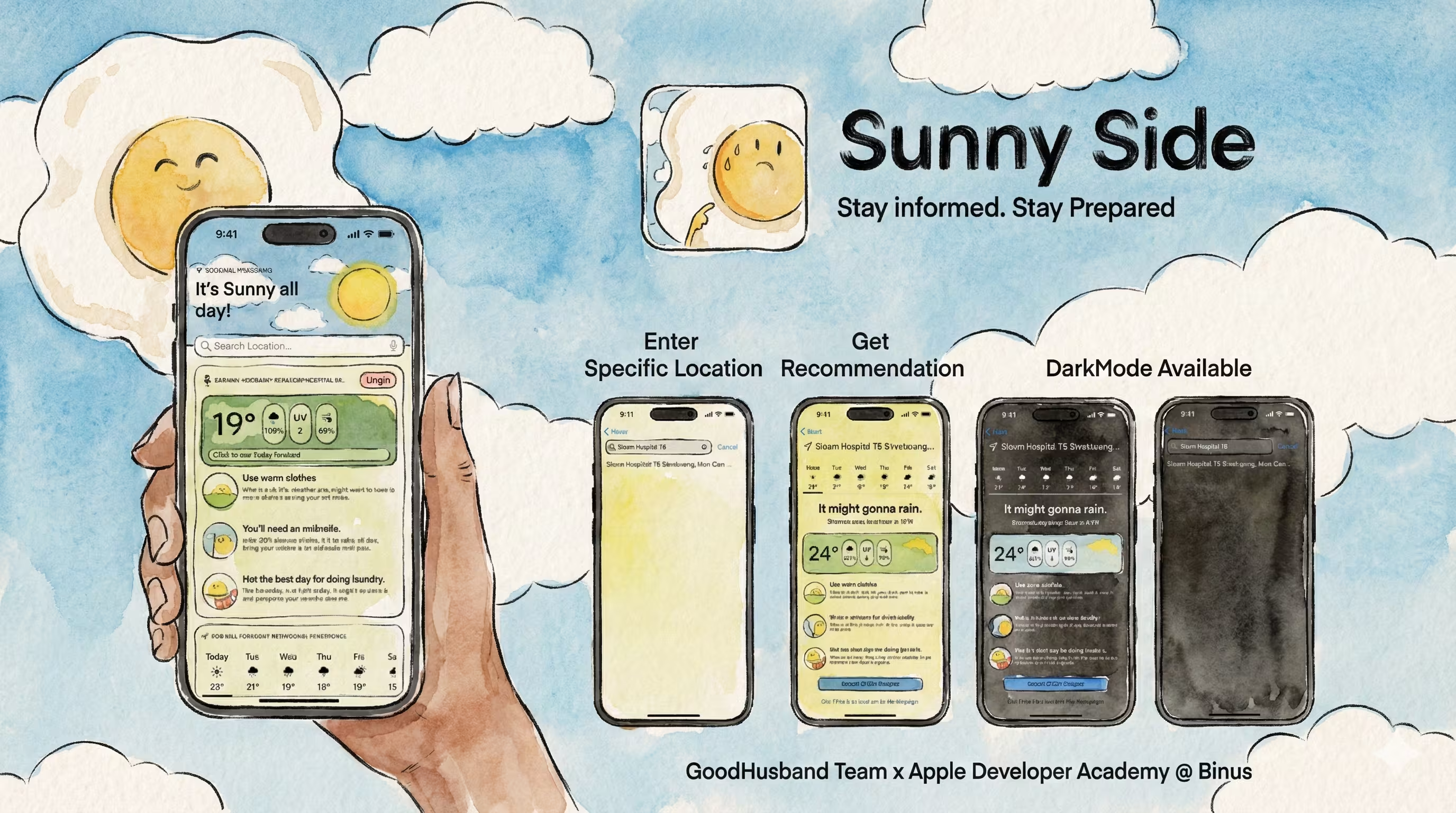
Sunny Side is a weather application built with SwiftUI and WeatherKit, designed to make weather-related decisions simpler and more informed.
The Journey
Weather Apps Miss the Point
People don't just want forecasts - they want decisions
Through user research, we discovered something interesting: people don't check weather apps just to know the temperature. They're making decisions: • "Should I bring an umbrella?" • "Can I hang my laundry outside?" • "Do I need sunscreen today?" • "What should I wear?" Existing weather apps gave you data, but you had to interpret it yourself. We wanted to build something smarter - an app that gave you actionable recommendations, not just numbers. The challenge was: how do you turn weather data into practical advice without being annoying or obvious?
Personalized Weather Recommendations
Turning data into decisions
I built a recommendation engine that analyzed weather data and provided contextual advice: Temperature + UV Index → "Apply sunscreen, UV is high today" Precipitation probability → "60% chance of rain, bring an umbrella" Humidity + Temperature → "Good day for outdoor laundry" Temperature range → "Layer up, temperature drops 10°C this evening" The technical implementation: • WeatherKit for real-time forecasts • Custom algorithm to analyze multiple weather factors • Push notifications for important changes • Location pinning for daily routine checks For the architecture, I applied SOLID principles: • Single Responsibility: Each view model handles one concern • Dependency Injection: Easy to test and swap components • Interface Segregation: Clean protocol definitions
Building With WeatherKit
Apple's weather API in practice
This was my first time using WeatherKit, Apple's official weather framework. The learning curve was interesting: Challenges: • WeatherKit requires API keys and proper entitlements • Rate limiting (500 calls per day on free tier) • Handling offline scenarios gracefully • Parsing complex weather data structures Solutions: • Implemented smart caching to reduce API calls • Built offline mode with last-known data • Created clear error handling with user-friendly messages • Used Combine for reactive data updates The MVVM pattern helped a lot here. All weather logic lived in the ViewModel, making it easy to test without needing actual API calls. I could mock the weather data and verify the recommendation logic worked correctly.
Making Daily Decisions Easier
When weather apps become actually useful
After launch, the feedback validated our approach. Users loved the recommendations: "Finally, a weather app that tells me what I actually need to know!" "The laundry timing feature saved my clothes from getting soaked!" "I use the pinned locations for my morning routine - so convenient" The location pinning feature became surprisingly popular. Users would pin: • Home (morning routine check) • Office (commute planning) • Kids' school (pick-up timing) • Weekend spots (outdoor activity planning) This project taught me that sometimes the best innovations aren't about new technology - they're about understanding what users actually need and delivering it in a simple, intuitive way.
Technologies Used
Key Features
Key Learnings
Project Gallery


Interested in this project?
Feel free to explore the code or see it in action. I m always happy to discuss the technical details!