
Simple To-Do List Dashboard
Learning fullstack development through practical challenges
Simple To-Do List Dashboard is a web application built to practice fullstack development using Next.js 15, TypeScript, and TailwindCSS utilizing Vibe Coding conventions.
The Journey
The 3-Day Challenge
Building a fullstack app in record time
This project started as a technical assessment with a tight deadline: build a complete todo application with authentication, authorization, and an admin dashboard in just 3 days. The requirements: • User authentication (register/login) • Role-based access (Admin vs User) • CRUD operations for todos • Filtering and pagination • Admin dashboard to manage all users and tasks I had to move fast but couldn't sacrifice code quality. The challenge was: how do you build something robust when time is limited?
Vibe Coding Conventions
Following a structured approach
I decided to follow Vibe Coding conventions - a structured approach to Next.js development that emphasizes: • Clear folder structure • Consistent naming conventions • Separation of concerns • Reusable components For authentication, I used NextAuth.js with credential providers. This gave me: • Secure session management • Easy role-based access control • JWT token handling • Protected API routes The architecture breakdown: • Day 1: Authentication system + basic CRUD • Day 2: Admin dashboard + user management • Day 3: Polish, testing, deployment I built the API routes first to ensure data flow worked correctly, then focused on the UI components.
Building the Admin Dashboard
Making role-based access intuitive
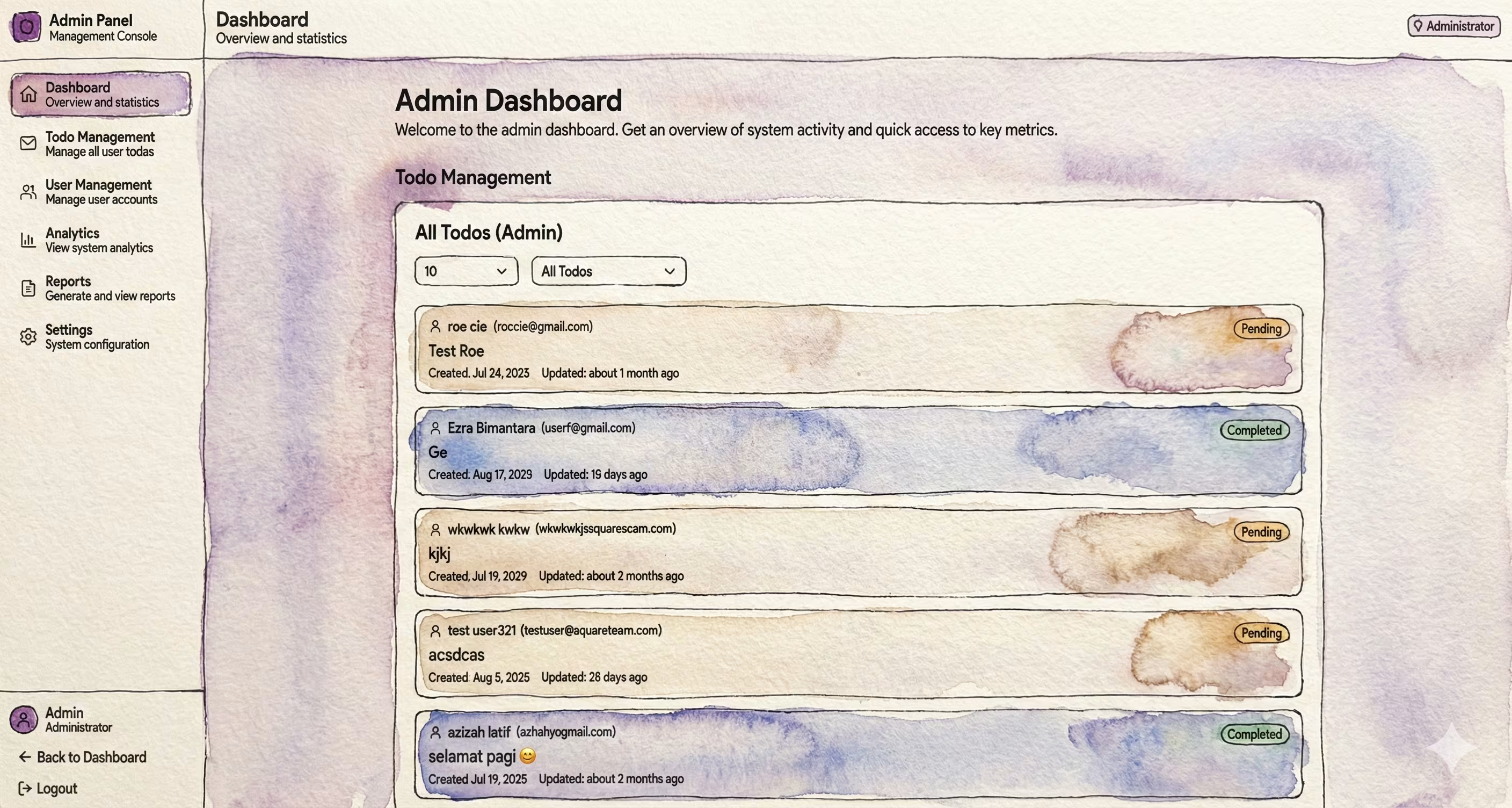
The most interesting part was building the admin dashboard. Admins needed to: • See all users and their tasks • Filter tasks by user, status, or date • Manage user accounts • View statistics and metrics I built an interactive sidebar with route highlighting, showing different menu items based on user role. Regular users only see "My Tasks" while admins get access to "All Users", "All Tasks", and "Analytics". For the task table, I implemented: • Client-side filtering (instant feedback) • Server-side pagination (handle large datasets) • Sorting by multiple columns • Bulk actions (mark multiple as complete) The trick was finding the right balance between client and server operations. Filtering is fast client-side, but pagination needed server-side to avoid loading thousands of tasks.
Lessons in Speed and Quality
What I learned from the time constraint
Despite the tight timeline, I managed to deliver: • Clean, maintainable code • Fully functional authentication • Responsive admin dashboard • Smooth user experience The 3-day constraint actually helped me focus. Instead of over-engineering, I built what was needed. Instead of perfectionism, I aimed for "good enough". Key insight: Time constraints force you to prioritize. You learn what's truly essential vs what's just nice to have. Sometimes a simple solution is better than a complex one, even if you have more time. This project proved I could work under pressure without compromising quality - a valuable skill for any developer.
Technologies Used
Key Features
Key Learnings
Interested in this project?
Feel free to explore the code or see it in action. I m always happy to discuss the technical details!